

VBA Classes in NYC or Live Online

Hands-on VBA training courses in Manhattan, NYC

Learn to automate daily work in Excel using VBA (Visual Basic for Applications), the programming language of Excel. In our instructor-led VBA courses in NYC, we'll review how to develop a macro, use loops and conditions, and create VBA scripts.

  • In-person courses
  • Flexible training solutions
  • Small class sizes
  • Hands-on & interactive

Small Group VBA Classes

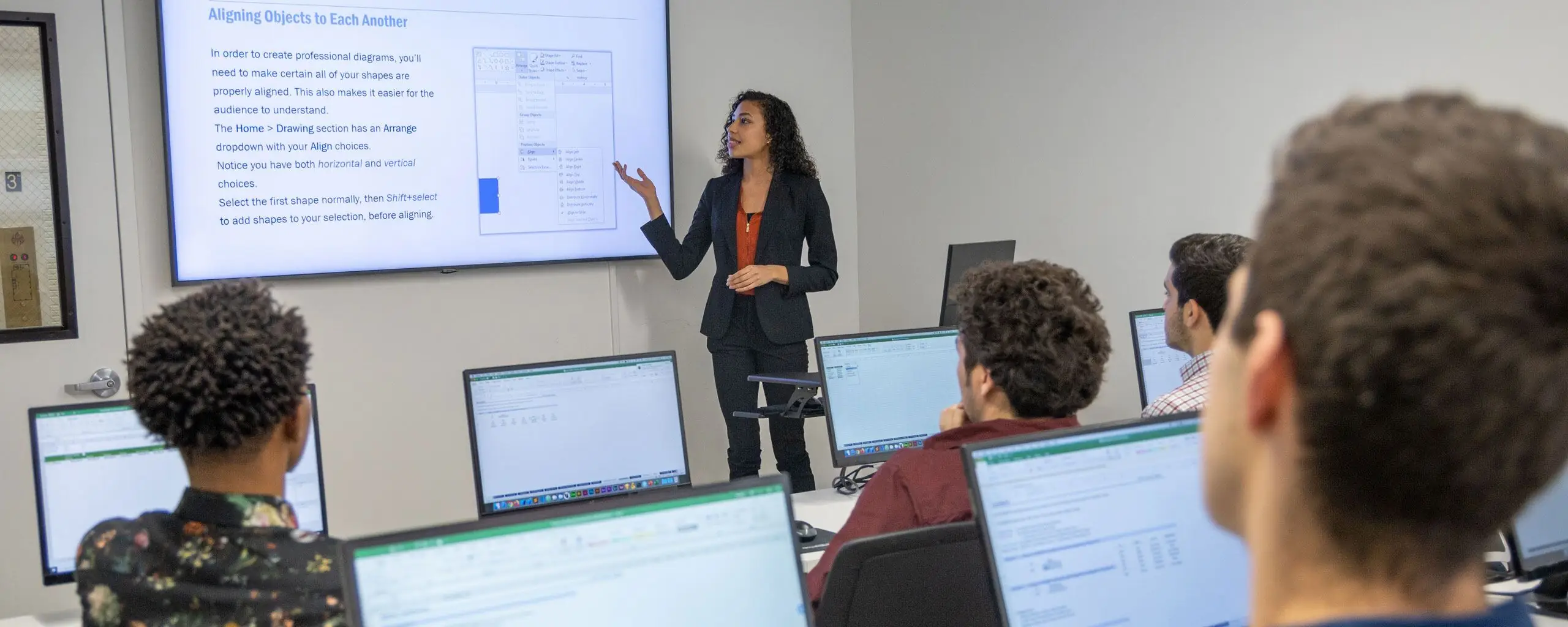
Our VBA courses are instructor-led in our Manhattan classrooms or live online (virtual learning).

Corporate Training

Drive team performance and efficiency with Career Centers’s industry-leading training. Send employees to our group classes or create a custom training program onsite.

Get a Free Quote

Highly Reviewed by Our Alumni

From our hands-on training style to world-class instructors and custom-crafted curriculum, we deliver results our alumni are proud of.

Solid introductory course if you have never opened VBA Editor. You will learn how to navigate the UI and write your very first Excel code.

Michael Kerr

If the class is about Excel and if the instructor is Debbie Cunningham, TAKE IT. Even if it's just a refresher course, I promise it will be both informative and enjoyable.

Manna Yamasaki

As a self-taught Excel user for many years, this course is a great way to fill in blanks, understand why things work the way they do, and move you forward in ways you may never have been able to on your own.

Timothy Falcioni

Debbie made this class. How she got these tough concepts to stick in my brain I'll never know, but I'll always be grateful as it is going to give me back so much time in my work!

Allison Iarocci

Overall, highly recommend.

Francesca Cara

I only wish I'd taken these courses earlier - so much of what I've learned would have made me far more efficient in my job. I look forward to using these skills and hope to take more classes from NYC Career Centers.

Sherilyn Smith

This class was great! I am excited to implement what I learned in my work.

Edison Won

I really loved the follow-along workbook. It made it easier to understand and learn the new functions being taught. I especially love that we have it for future reference when attempting to utilize the new tools learned.

Elisabeth Swain

I loved the instructor's style and real-life integration. It assisted in my learning and absorption. The class had very informative, relative, and actionable content. I would recommend this to all my peers.

Eric Perez
OVED

Mike G. helped make learning about macros and some of the more advanced functions in Excel truly interesting! He taught the course in a personable, fun way that really destroyed the bad rep that Excel gets as 'boring' and 'impossible.'

Kimberley Campbell

Our VBA Classes are rated 4.8 stars by 9,264 students

  • Michael Ray Lindsco Dec 13, 2024
    Advanced Microsoft Excel

    Great class! The instructor really knew her stuff. I learned more about Excel than I was expecting to.

  • Julie S. Dec 13, 2024
    Advanced Microsoft Excel

    I only have positive things to say. The instructor was fantastic and extremely knowledgeable. I thought it was impressive that he was able to support students with more basic Excel knowledge but still pace the class to keep the rest of the group stimulated. The material was clear, organized, and presented with a logical flow. The INDEX MATCH and macro sections were particularly helpful. I will be back for additional courses.

  • Akeem James Dec 2, 2024
    Microsoft Excel Bootcamp

    This Excel course was well worth it. It definitely helped to build skills and grow competency. I think any novice or expert can learn something by attending a class like this.

  • Raja Chilakamarri Nov 14, 2024
    Intermediate Microsoft Excel

    Debbie is an amazing instructor who is capable of training any student. She pays attention to everyone in the class, and she is very friendly and cordial, with the desire to help us every minute.

  • Chip Doherty Nov 14, 2024
    Intermediate Microsoft Excel

    This training was like Christmas morning for the Excel-curious. Debbie Cunningham is an excellent instructor and gives very practical information in a fun and professional way. I literally learned 5 new things in the first 10 minutes. So cool!

  • Maria C. Nov 14, 2024
    Intermediate Microsoft Excel

    I was really impressed with Debbie's teaching skills. She is honestly the best Excel instructor that I have had.

  • Richard Ta Nov 13, 2024
    Advanced Microsoft Excel

    I thought that if it came down to me and Excel, Excel had nothing on me. Debbie showed me otherwise.

  • Jonathan Sorocki Nov 13, 2024
    Microsoft Excel Bootcamp

    I use Excel frequently. Starting with Level 1, I learned some great tips and tricks to improve efficiency. By the end of Level 3, I felt like an Excel wiz! 10/10 would recommend.

  • Marie Wajda-Becher Nov 13, 2024
    Intermediate Microsoft Excel

    Time well spent! Jeannette was lovely, she explained the topic well, and she helped when we got lost.

  • Natalia Ruiz Oct 16, 2024
    Beginner Microsoft Excel

    Excel I and II have been very helpful in my new role. I work in hospital administration, and although I had some knowledge of Excel, it was extremely basic compared to all the helpful skills learned in these classes. I am already implementing some of them in my data analysis and presentation. Highly recommended!

  • Karina Bradley Sep 27, 2024
    Excel VBA and Macros Level II

    Excellent classwork and material to help us understand different functions in Excel.

  • Lin Lin Sep 25, 2024
    Intermediate Microsoft Excel

    I had a great experience with this training and learned a lot from the teacher.

  • Ketan Patel Sep 25, 2024
    Advanced Microsoft Excel

    Will recommend this class to anyone interested in Excel.

  • Jade P. Sep 25, 2024
    Intermediate Microsoft Excel

    I've taken an Excel class before, but this one was much more helpful. I learned some really great tips about Excel that I will be using going forward. I was pleasantly surprised that we were provided with a test spreadsheet that we could work with and apply the knowledge we were obtaining from the class.

  • Thomas Murphy Sep 18, 2024
    Microsoft Excel Bootcamp

    I would recommend this course to anyone who wants to improve their Excel knowledge.

  • Marianthi Karavitis Sep 17, 2024
    Intermediate Microsoft Excel

    Loved the exercises and the variety of topics. The class was well-structured and the hours flew by!

  • Marea Chaveco Aug 27, 2024
    Intermediate Microsoft Excel

    Garfield is concise! Very patient and goes at a good pace. He focuses on the actual understanding of the process rather than just showing the formulas and moving along.

  • Michael Kerr Aug 22, 2024
    Excel Programming with VBA

    Solid introductory course if you have never opened VBA Editor. You will learn how to navigate the UI and write your very first Excel code.

  • Ashton Crothers Aug 12, 2024
    Advanced Microsoft Excel

    Great way to learn some Excel tips and tricks! I can't wait to apply what I learned in my day-to-day work!

  • Miranda Kaskel Aug 9, 2024
    Intermediate Microsoft Excel

    This class provided a very useful Excel refresher and some new tools. We were challenged to think about scenarios in which we would utilize the skills at our jobs. I look forward to implementing the skills and tools that were covered in this class into my day-to-day work.

  • Jacob Wahl Jul 28, 2024
    Microsoft Excel Bootcamp

    Great instructors, great class materials, and a great overall experience. In my experience, this course is far and away better than anything you can do on LinkedIn Learning and certainly better than just watching YouTube videos. It really made a difference in my knowledge of Excel. The main advantage of this class is being able to work with pre-loaded data on the provided spreadsheets, which provided me with real-world experience using the techniques taught in the class. I highly recommend it!

  • Marea Chaveco Jul 24, 2024
    Intermediate Microsoft Excel

    I did not know what to expect, but it was a wonderful experience! I look forward to taking additional classes!

  • Steven Childers Jul 18, 2024
    Advanced Microsoft Excel

    Fantastic presenter. Debbie is very knowledgeable and enthusiastic.

  • Savannah S. Jul 15, 2024
    Advanced Microsoft Excel

    Great! I felt like I learned a lot from this class, and I would love to take another class if it is similar to this type of format. Often, it is difficult for me to fully understand material during a Zoom meeting. Even though this class was through Zoom, I was able to fully understand the material because I was working with the instructor, and then I was able to practice what I learned on my own.

  • Drake Vergara Jun 24, 2024
    Microsoft Excel Bootcamp

    The world's best Excel bootcamp.

Showing 25 of 500 reviews

Upcoming VBA Classes in NYC

All times are listed in Eastern Time unless otherwise specified.

Upcoming dates and times, grouped by month
Course, dates, and times Price and duration Description Registration
October 2026
October 4
Sunday 10am–5pm
$299
6 Hours

Take your Excel skills up a level with this Intermediate Excel course. Learn important Excel functions like VLOOKUP, SUMIFS, and Pivot Tables in this hands-on training. You'll also learn crucial text-related features like splitting and joining text, removing duplicates, and data validation.

October 5–7
Weekdays 10am–5pm
$599
18 Hours

Go from novice to expert in our three-day comprehensive Excel Bootcamp. You’ll learn advanced database functions, calculations, and formulas, shortcuts,  Pivot Tables and scripts, and macros for automating tasks with ease. 

October 6
Tuesday 10am–5pm
$299
6 Hours

Take your Excel skills up a level with this Intermediate Excel course. Learn important Excel functions like VLOOKUP, SUMIFS, and Pivot Tables in this hands-on training. You'll also learn crucial text-related features like splitting and joining text, removing duplicates, and data validation.

October 7
Wednesday 10am–5pm
$299
6 Hours

Become an expert Excel user with this Advanced Excel course. Learn powerful functions like INDEX-MATCH, work with advanced Pivot Table functions, and start recording macros to automate workflows. Prepare yourself for any Excel challenge with this advanced Excel course.

October 11
Sunday 10am–5pm
$299
6 Hours

Become an expert Excel user with this Advanced Excel course. Learn powerful functions like INDEX-MATCH, work with advanced Pivot Table functions, and start recording macros to automate workflows. Prepare yourself for any Excel challenge with this advanced Excel course.

Showing 5 of 191 courses

An Introduction to Visual Basic for Applications

Visual Basic for Applications (more commonly known as VBA) is a programming language that works with Microsoft Applications. Excel, Word, PowerPoint, and other applications have a unique variant of VBA designed to work with that program. With all of the buzz about coding languages like Python, Java, and JavaScript, you may wonder if you really need to learn VBA.

If you use Excel daily, especially if you complete the same tasks repeatedly, learning VBA is an investment that is well worth your time. VBA is used to write macros, which are blocks of code that automate repetitive tasks. You can write code with the VBA editor or Developer tab.

There are two specific use cases when you want to use VBA:

  • Conducting multi-step tasks that require you to sit at a computer for hours
  • Expanding the functionality of Excel to include a form or user interface

The benefits of using VBA include:

  • Reduce human error - with VBA, you’ll reduce human error by automating tasks
  • Increase your value - boost your role within the company as the resident Excel expert
  • Save money - Save money by saving time when you automate tasks with VBA
  • Learn quickly - You don’t need to learn new software; build on your existing Excel skills

Visual Basic for Applications Classes in NYC

At Career Centers, our VBA classes feature an interactive training model and job-focused VBA training. Our Excel programming with VBA courses help you to work more quickly and efficiently, regardless of how you use Excel. These classes are ideal for any Excel user that would like to reduce the capacity for error while speeding up workflow.

We cover a variety of topics in our Excel VBA courses, including the following:

  • Creating user forms
  • Evaluating code
  • Generating complicated macros
  • Maintaining secure worksheets
  • Making the most of troubleshooting
  • Understanding logic and looping statements
  • Using the macro recorder
  • Utilizing error trapping
  • Working with variables
  • Writing macros

Register for Excel VBA Classes in NYC at Career Centers

Career Centers offers the best value for VBA classes in NYC. When you register for VBA classes at Career Centers, you get more than just a training class. We provide software, hardware, and even light refreshments to keep you comfortable while learning. You don’t have to worry about bringing anything to class, except yourself!

Our seasoned instructors bring real-world experience to the classroom––your instructor has experience using VBA to solve challenges on the job, and will teach you how to do the same. In these interactive courses, you’ll complete targeted exercises for each and every new VBA concept that you learn. Our classes are small, so you’ll have time to ask questions and get personalized assistance from the instructor.

At the end of our Excel VBA courses, you’ll be able to automate tasks with complex macros and write efficient code designed to reduce errors. You’ll receive a course workbook you can use to recreate exercises and review reference material as needed after the course. You’re also entitled to a free retake of your VBA course within one year. 

VBA Classes in Manhattan, NYC

Our VBA 1 and 2 courses are designed for experienced Excel users that know their way around Pivot Tables and basic Excel formulas and functions. In just two days, you’ll learn enough VBA to use the program on your own. Both courses also feature a final lesson to help you troubleshoot common errors with code.

VBA 1 begins with an introduction to the VBA editor, while VBA 2 delves deeper into each topic, covering NESTED IF statements and user-defined functions. Many of the lessons in this course extend to other Microsoft programs that are compatible with VBA, including Word, Outlook, PowerPoint, and Access.

Enroll in VBA 1 and VBA 2 courses together and save 20% 

Not yet proficient in Excel? No problem! Our Excel courses offer training for everyone from complete beginners with no prior Excel experience to Excel power users that are ready to take their skills to the next level. 

  • Basic Excel users that haven’t experienced the power of Pivot Tables will get an intro to this feature in our Intermediate Class
  • For frequent Excel users that want to harness the application’s full potential, the Advanced Excel Class provides everything you need to know
  • Our Microsoft Excel Bootcamp combines the Beginner, Intermediate, and Advanced Classes for Excel users that really want to get ahead

All of our Excel courses are offered at our training facility in Midtown Manhattan. We travel within the Tri-state area, or for an additional travel fee, we can travel anywhere in the USA.

Corporate VBA Training and Professional Development

If your office relies on Microsoft Excel for daily tasks, learning Visual Basic for Applications is a great way to reduce errors and increase efficiency. We offer private classes and corporate training for small groups. Our courses are available on weekdays and weekends at our facility or yours. Contact us today for a free consultation.

Yelp Facebook LinkedIn YouTube Twitter Instagram