Looking for corporate training?
We offer custom onsite training and discounted class vouchers.
corporate@nobledesktop.com(212) 684-5151
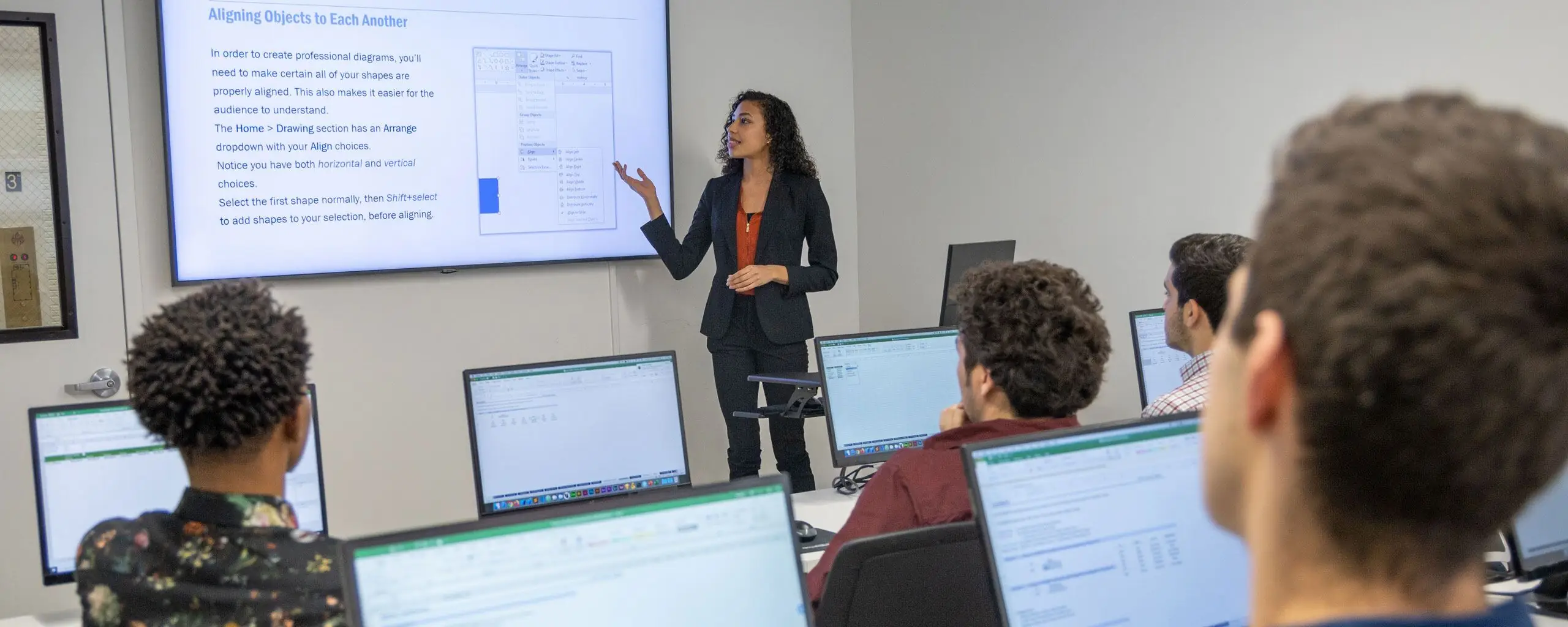
The AI Video & Motion Graphics Bootcamp is a live, instructor-led route into video careers that requires no background in editing, design, or coding. Premiere Pro comes first, where you learn to cut multicam footage, grade with Lumetri, mix audio, and export for every platform. In After Effects, your instructors teach you to animate with keyframes, stage 3D shots using virtual cameras and lights, use expressions, and composite with point and camera tracking plus chroma keying. A dedicated AI course shows you how to generate video, images, and audio with prompts, use Creative Cloud's AI features, and handle licensing and disclosure responsibly for clients.
You also learn to create software. Directing AI coding assistants from the terminal, you launch applications that simplify studio and post-production work, connecting a Neon Postgres database, Clerk sign-in, Vercel deployment, and custom MCP servers. The five Premiere Pro and After Effects courses track with the competencies of the Adobe Certified Professional in Video Design. Graduates leave with a demo reel, a capstone video, two launched applications, and a strategy for finding work, pricing services, and self-promotion.
This is the recommended order, but some courses may be taken in a different order.
Unit 1 18 Hours
Learn how to organize and import footage, exporting options, how to use the Timeline, create titles, work with PSDs, use audio tracks, and more. Then, dive into more advanced features including multicam editing, color correction, speeding up footage, and stop-motion loops.
Unit 2 18 Hours
Learn more advanced editing techniques with Premiere Pro in this hands-on class and kick your video editing skills up a notch. Create custom transitions, light leaks, and other visual effects. Work more with audio, edit action sequences, and work with vertical video.
Unit 3 18 Hours
Get comfortable with After Effects in this introductory course. You'll learn how to animate text and graphics to create dynamic title sequences, TV content, and standalone videos. You will also start learning how to add special effects and build 3D objects.
Unit 4 18 Hours
Unit 5 18 Hours
Combine graphics with live footage under the guidance of a live instructor, using Mocha AE and the Point Tracker, chroma keying, rotoscoping, and Content-Aware Fill.
Unit 6 18 Hours
Create original demo reel pieces with one-on-one instructor feedback and class critiques while learning how the video and motion design business operates.
Unit 7 12 Hours
Unit 8 60 Hours
Unit 9 60 Hours
With a live instructor, launch two web applications that serve video and motion graphics teams, built with AI coding tools and documented as case studies.
Unit 10 18 Hours
Demonstrate your full skill set in one finished video with a live instructor, from concept and planning through editing, compositing, color, and sound.

From our hands-on training style to world-class instructors and custom-crafted curriculum, we deliver results our alumni are proud of.

Learn the concepts and skills covered in this program or your tuition is on us. See details and terms & conditions.

Learn with real-world projects

Step-by-step instruction to boost retention
The Career Centers instructors are highly skilled communicators who really know their craft. They are wonderful about explaining and re-explaining when necessary and I never felt rushed or foolish for asking a question.
—Diane Speros

Gain industry knowledge from professionals
Retake the course for free within one year
Attend this certificate program live online or as self-paced training. Engage with expert instructors, ask questions, and get feedback on your exercises and projects.
Unlike other providers, these are not mass open-enrollment classes. At NYC Career Centers, you’ll learn in small groups (typically 8-15 students) and receive personalized attention.
Get the same interactivity and access to the instructor as in-person students. There are no extra fees and we’ll work with you to ensure your remote setup is perfect.
Learn at your own pace with pre-recorded video lessons and hands-on exercises. Work through the material on your schedule with access to course content and resources.

Upon completion of this course, you’ll receive an official certificate testifying to your mastery of the curriculum. We’ll send you a link where you can download your certificate, share it online with your friends, post it to your professional network on LinkedIn, and view all your earned certificates. Congratulations on your achievement!
Shareable on


We offer a single free retake of any module or the whole program within a year.
You can also access recordings of each session in your student portal within one business day of the session’s end. Recordings are available for 30 days after the session.


Who should take AI Video & Motion Graphics Bootcamp:
Yes, this course is open to beginners. Students must be comfortable using a computer. No other prior knowledge is required.
This course does not qualify for payment plans or student financing. See our Payment Plan FAQ to find related programs that qualify.
No upcoming live online dates are currently available. Please contact us about future availability.
You have some options:
There are no extra fees or taxes for our courses. The price you see on this page is the maximum you’ll pay us.
However, if you plan to take the course live online, you may need to obtain required software. We’ll help you get set up with a free trial of paid software prior to the class. Most of our coding classes utilize freely-available open-source software. For most of our design and motion graphics courses, we will help you get set up with a free trial of Adobe Creative Cloud. If you attend the course in-person, we will have a computer already set up for you with all of the required software for no additional cost.
This program has a single package price. Additional discounts do not apply.


We offer custom onsite training and discounted class vouchers.
corporate@nobledesktop.com
